
What are your business miles worth?
$3,952
a year at the IRS rate of 76¢ a mile · 5,200 miles
Captric counts the miles. What they save you depends on your taxes.
Captric is an iPhone mileage tracker. It records your drives on its own, approves the routine ones in one tap and hands you the mileage log.
How Captric keeps count.
Turn tracking on once. Captric does the counting.
-
Drive
4.20 miRecords your drives on its own, even with no signal.
-
Tap
Approve 55 Business · +15.35 miApproves the routine drives together, with the reason shown.
-
Done
75.19 miCSV · Sep 1 – 24Hands you a CSV mileage log for taxes or your employer.
Sample September: $57.14 at the IRS rate
Six drives. Two taps.
This is Classify drives with a sample September. Captric grouped five drives because it had a reason for each: a route you saved, your work hours, a purpose tag. The sixth is a commute between Home and Work, so it waits for you.
- Switch off any group you don't agree with.
- Press Approve 5 and watch the Business miles add up.
- Choose Personal or Business for the commute.
Classify drives
Sample dataBusiness miles, September 2026
5 ready · 1 needs you
47.22mi
+15.35 mi if approved
Suggested Business
5 · 15.35 mi-
Frequent route: Design studio to Print shop
- Design studio to Print shopMon, Sep 213.45 miUnclassified
- Print shop to Design studioMon, Sep 213.44 miUnclassified
-
Work hours: Mon–Fri · 8:00 AM – 6:00 PM
- Client office to Photo labFri, Sep 181.88 miUnclassified
- Photo lab to Design studioFri, Sep 182.09 miUnclassified
-
Tag: Client meeting
- Print shop to Client officeThu, Sep 174.49 miUnclassified
Needs you
Between Home and Work. Your work-hours rule leaves commutes for you to choose.
Rebuilt from the Captric app with its sample month, so you can press the buttons.
Everything else a mileage log needs.
While you drive
Turn tracking on once. A Live Activity shows miles so far on the Lock Screen and in the Dynamic Island. Addresses and notes never appear there.
Missed a drive
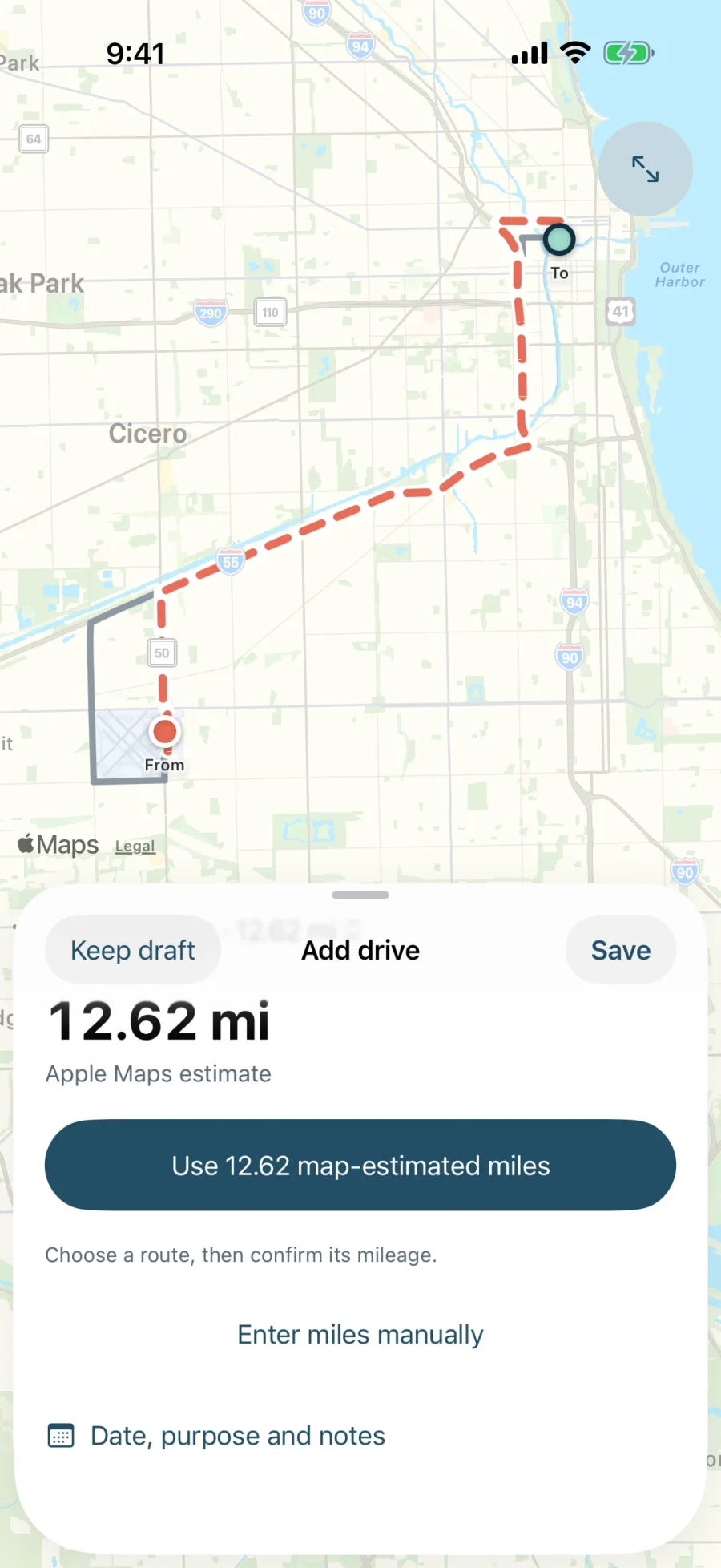
Search where you started and ended, pick an Apple Maps route and use its miles, or type them, so those miles count too. Each drive says whether its miles were recorded, estimated or typed.
Rules you turn on
Set your work hours or save a frequent route, and new drives that fit are classified as they end, marked Auto. Rules are off until you turn them on, and never overwrite your choice.
At tax time
Export any date range, Business drives or all, to Files or straight to your accountant. Each row keeps the locations, purpose, how it was classified and where its miles came from.
No account.
No Captric server.
Your drives, places, tags and rules stay on your iPhone. There's nothing to sign up for before your first drive.
Apple Maps gets what maps need: searches, route estimates, map previews, your drives' start and end points for their addresses, and a place's location while you name it.
Keep a copy that matters. Losing your iPhone or deleting the app can lose local data, so export the logs you need.
Questions
Can I download Captric yet?
Join the waitlist for Captric beta updates. Signing up does not grant TestFlight access; invitations will be offered separately when available. Join the waitlist.
Will Captric classify drives without asking?
Only with a rule you turned on, and every drive a rule classifies is marked Auto so you can change it in one tap. Suggestions change nothing until you approve. Drives you add by hand are never classified automatically.
Does Captric calculate my deduction?
No. Captric counts your business miles and exports them as a CSV. What you can claim depends on your situation, so check with a tax professional. For reference, the IRS business rate for 2026 is 72.5¢ a mile from January 1 to June 30 and 76¢ from July 1.
What happens to my commute?
A drive between your Home and Work places stays Unclassified under the work-hours rule, so you choose. Name Home and Work in Places and Captric knows which drives those are.
Does it work without signal?
Recording, editing saved drives and typing locations and miles work offline. Map search and route estimates need a connection.
Will Captric support teams or sync?
We're planning to support teams and sync in the near future.
The miles add up. Let Captric keep count.
Coming soon to iPhone. We’ll email you when testing opens.